




Atlas.md lets you easily create PDFs of the letter documents you use most, including sick leave notes, patient notes, and other formal documentation.
The PDF includes a letterhead with your clinic’s and patient’s information, logo, and the date the document was created.
Creating a Letterhead and Logging it On Your Patient’s Chart
To create a letterhead:
- Head to your patient’s chart
- Click on the plus sign in the upper right corner, then select Letterhead
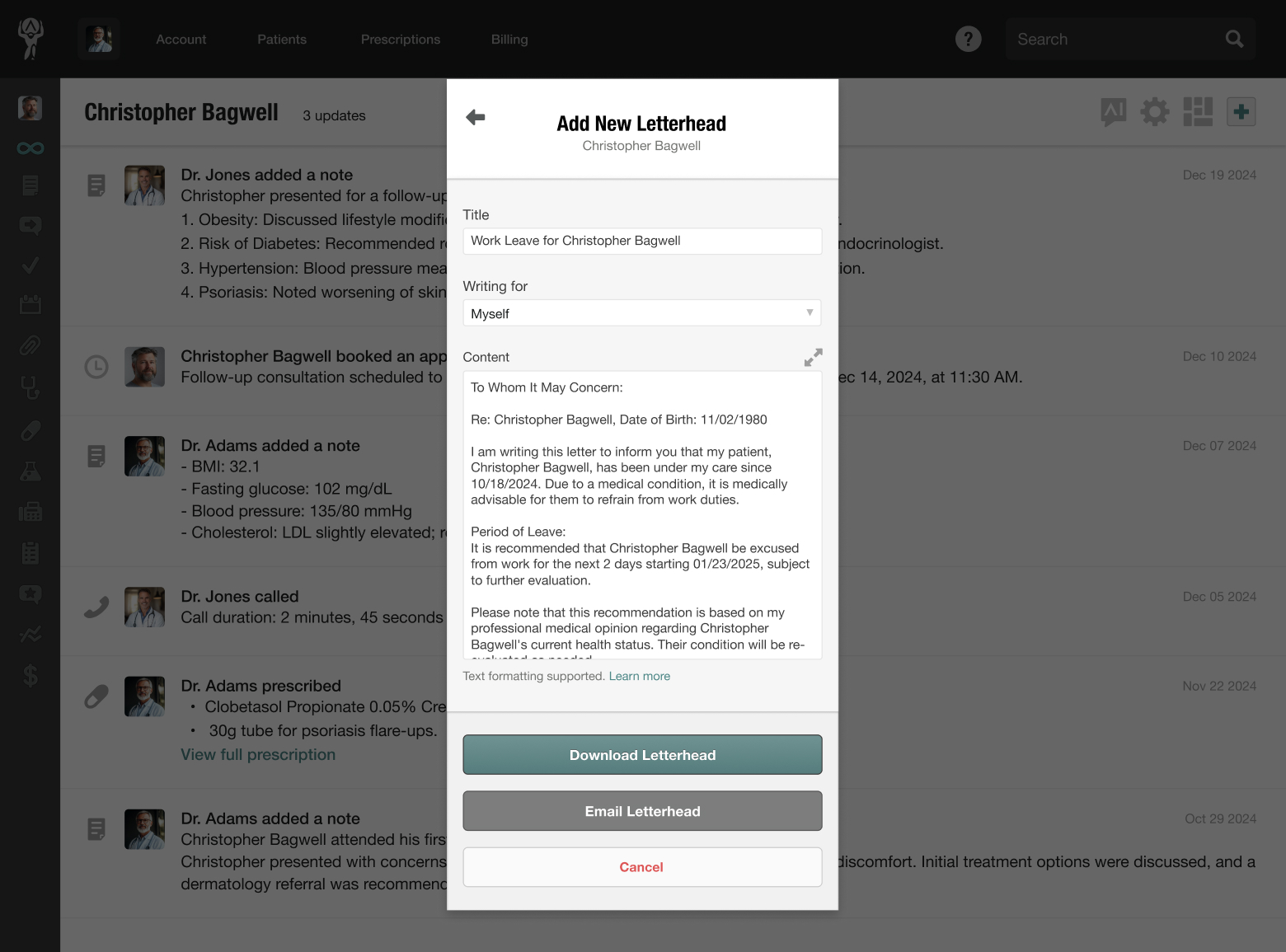
- Enter the title of the document and the content for the body
- Here, you can also use Atlas.md macro autocompleter to insert templates of existing documents
- Once you’re happy with your selection, click Download Letterhead
Atlas.md will generate a PDF you can print or send using your preferred method. If you
need to reaccess the PDF, you’ll find a copy on your patient’s chart.
Creating and Emailing a Letterhead
To email a letterhead:
- Head to your patient’s chart
- Click on the plus sign in the upper right corner, then select Letterhead
- On the pop-up modal, click Email Letterhead
- From here, choose a recipient (the default is your patient, but you can select anyone from your contacts or enter a custom email address)
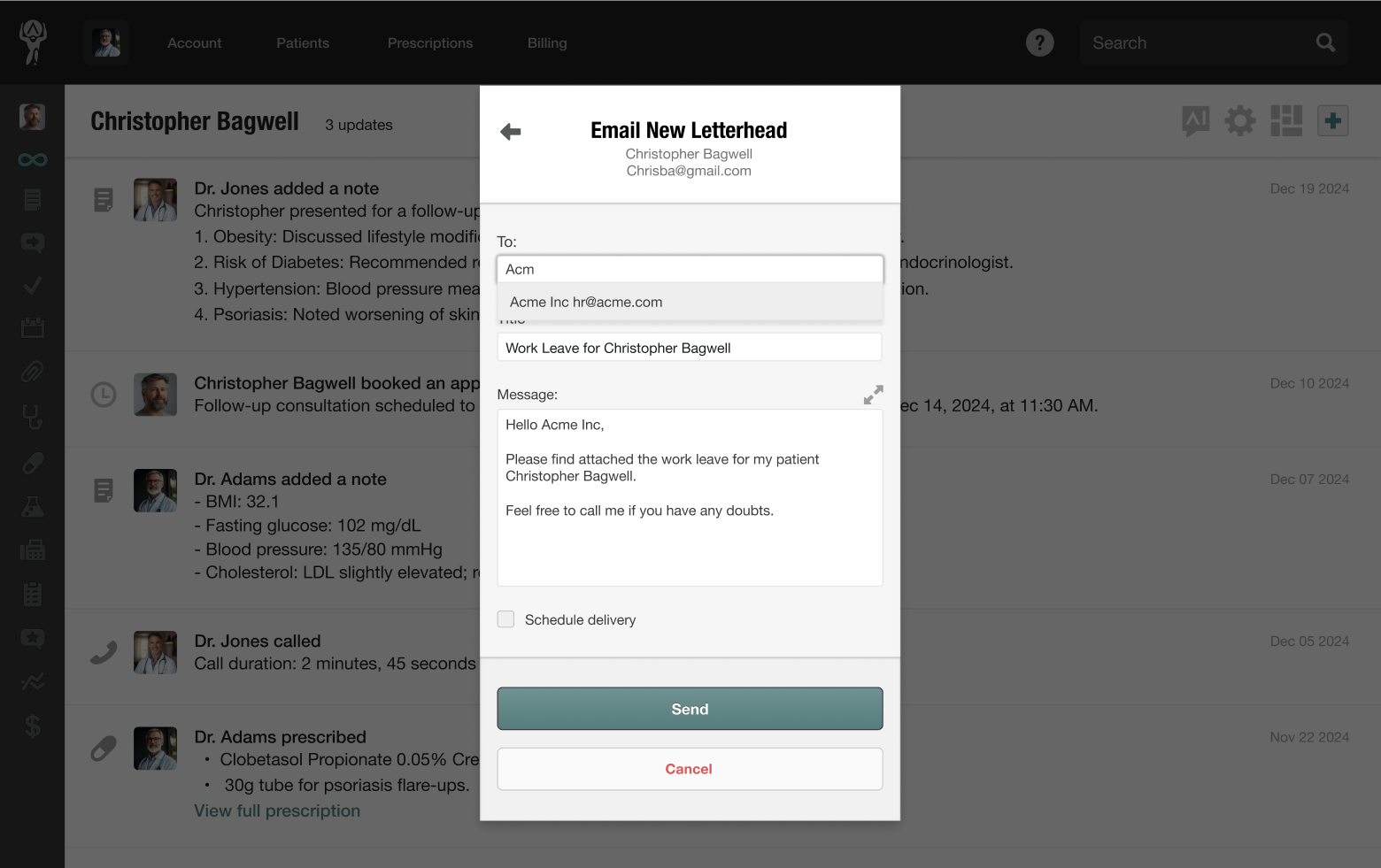
- Next, enter the email message
- Like other emails, you can schedule delivery by checking the appropriate box and choosing the number of days in the future you’d like to send the email
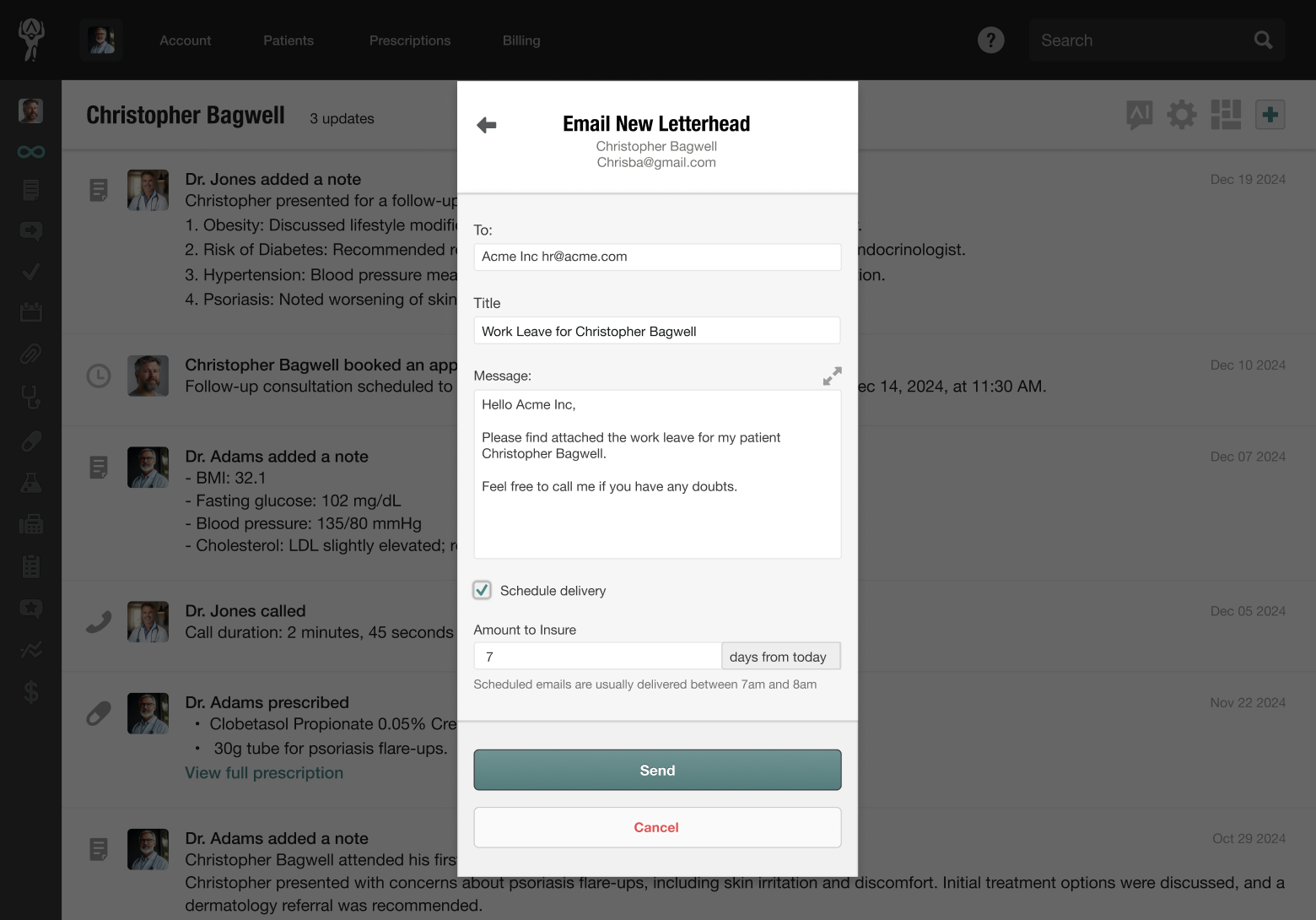
- Once you’re happy with your selection, click Send
The email and letterhead will be sent and automatically logged in your patient’s chart history.
