




When a patient answers the same form more than once, you don’t have to track down each response on its own. Atlas.md keeps every submission together in one place, with an AI summary at the top so you can see the trend at a glance, then verify the details in the full history below.
The summary reads across every submission and highlights what changed—improvements, worsening symptoms, recurring themes, and other notable shifts—in a few sentences. It updates automatically as new answers come in, so the summary always reflects the latest responses.
The AI summary appears only when a patient has two or more answers for the same form. With a single submission, there’s nothing to compare yet.
From a Regular Form Answer
If you’re working from a form in the patient’s own chart:
1. Open the patient’s chart.
2. From the side navigation, select Forms Answers.
3. Select the details of the form you want by clicking View “X” details for this patient.
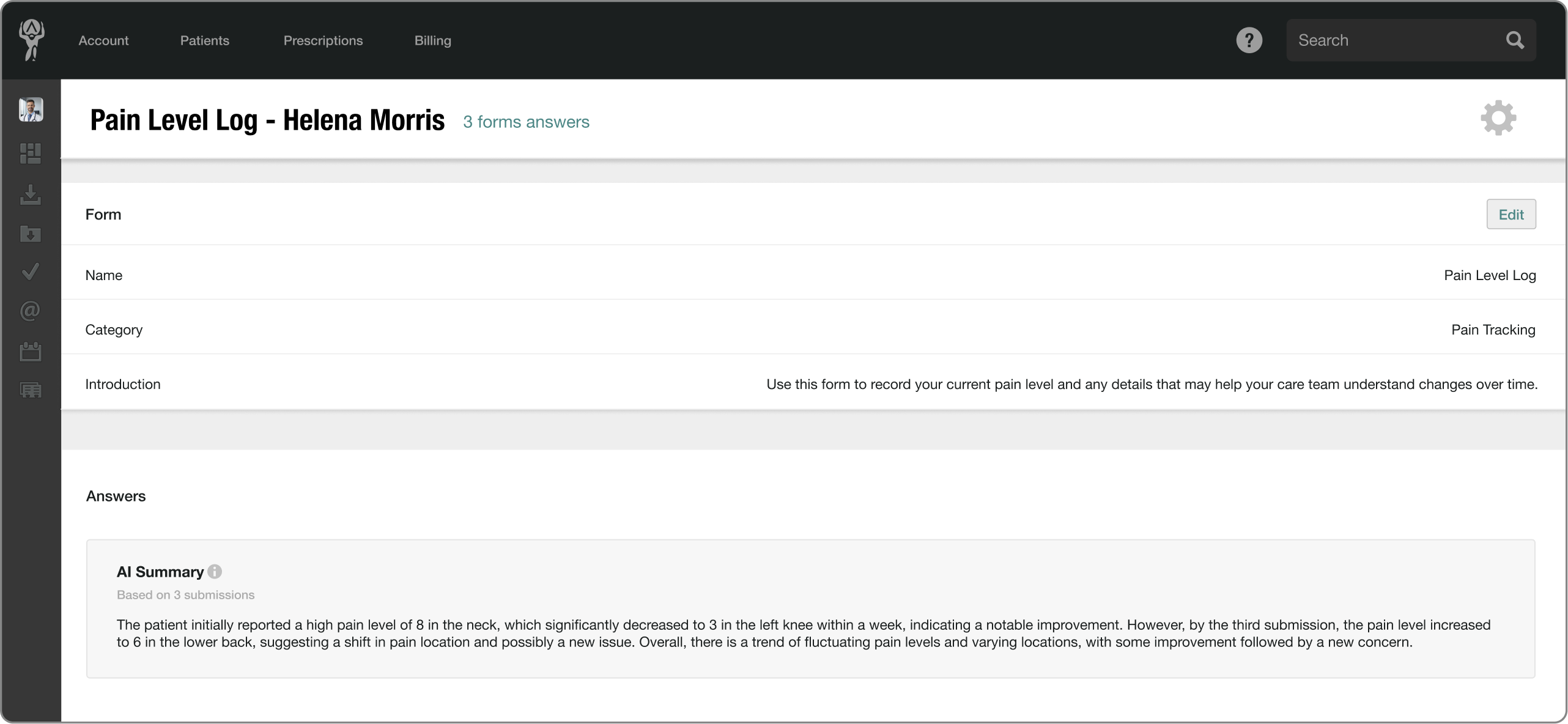
4. The Answers section shows the full history. If the patient has two or more submissions, an AI summary appears above them.
Verifying What You See
The AI summary is a starting point, not the last word. The full answer history stays visible right below it, and that’s your source of truth—so give the original responses a read and confirm anything clinically important there before it shapes a decision.
If a submission adds a symptom or a number that matters, open that dated entry and check the patient’s own words.
