




Custom AI Prompts let you control how Atlas.md formats and phrases AI-generated documentation. Instead of relying on the default output style, you can write your own instructions for supported AI features, and Atlas.md will follow them every time that feature runs.
Custom AI Prompts are currently supported for SOAP Notes and AI Referrals.
Setting Up a Custom AI Prompt
To create or edit a Custom AI Prompt:
- Click Account from the top navigation and then select AI Prompts
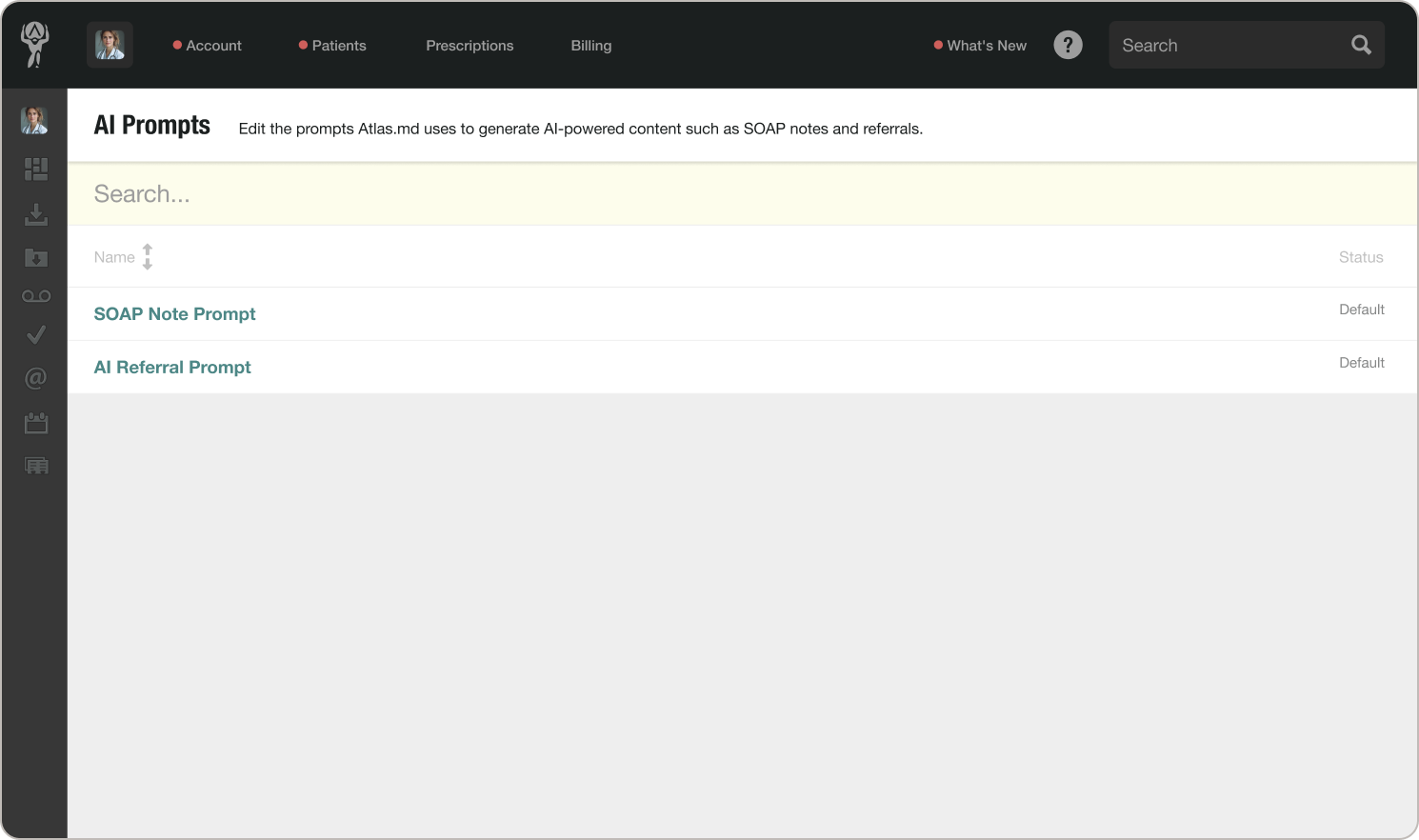
- You’ll see a list of supported AI features. Click the one you’d like to customize.
- In the prompt editor, describe how you’d like the output formatted, structured, or phrased
- When you’re done, click Save
Your custom prompt will be used the next time the AI feature runs, whether you trigger it manually or Atlas.md runs it automatically in the background, such as with automatic AI SOAP Notes.
Using Macros in Your Prompt
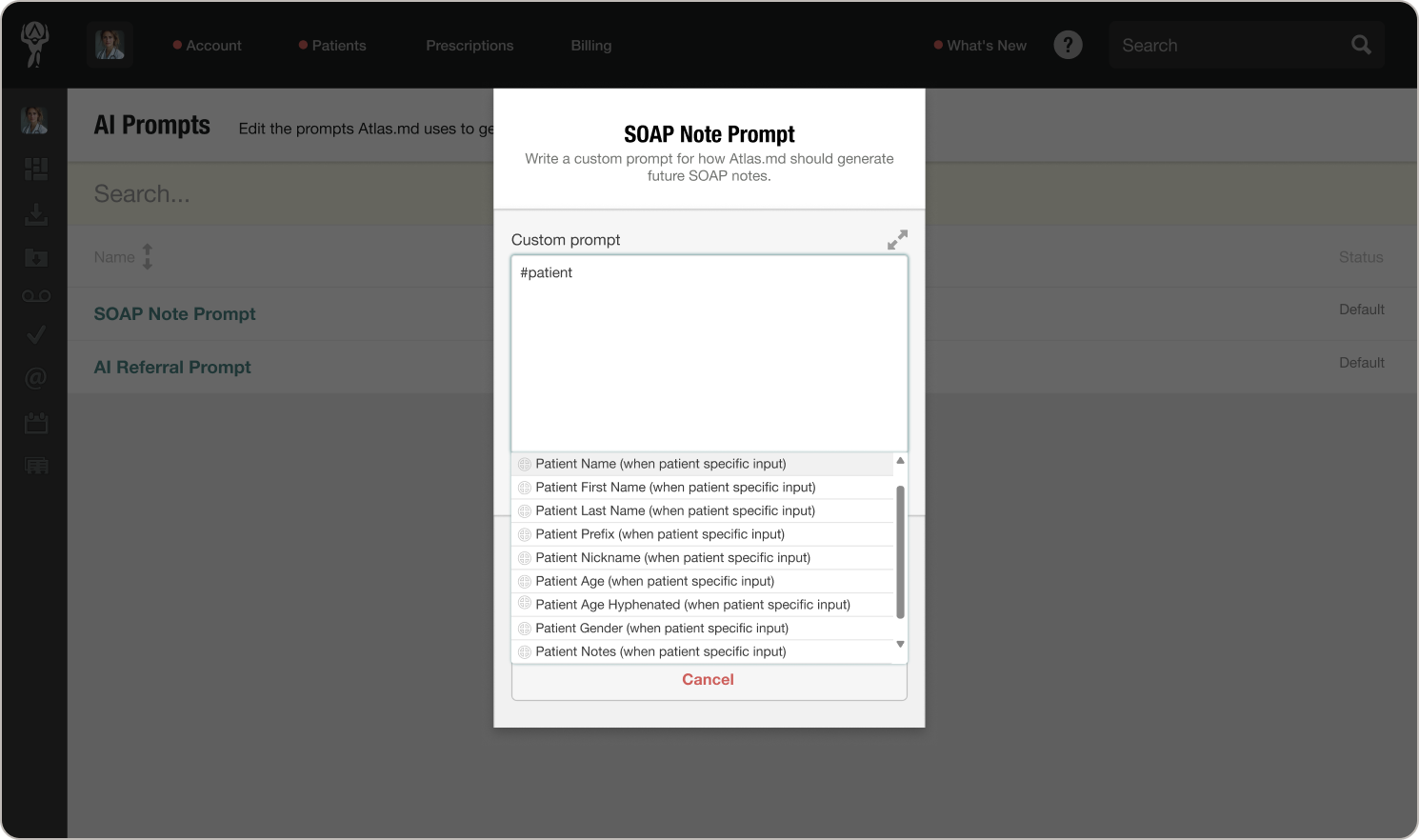
You can use the same macros available elsewhere in Atlas.md directly inside your custom prompt. For example, you might reference #patientlastname, #patientage, or #vitals to make your instructions more specific to each patient.
A note on output quality: Once you’ve saved a custom prompt, Atlas.md will follow your instructions in place of the default. Output quality is no longer guaranteed to the same standard, so it’s worth reviewing your results after saving a new prompt to make sure everything looks the way you intended.
