




When you’re away from your desk and need to book something quickly, you can create a new appointment directly in Atlas.md Mobile, without heading back to the EMR.
To schedule an appointment:
- Open the Appointments screen and tap Schedule Appointment at the bottom.
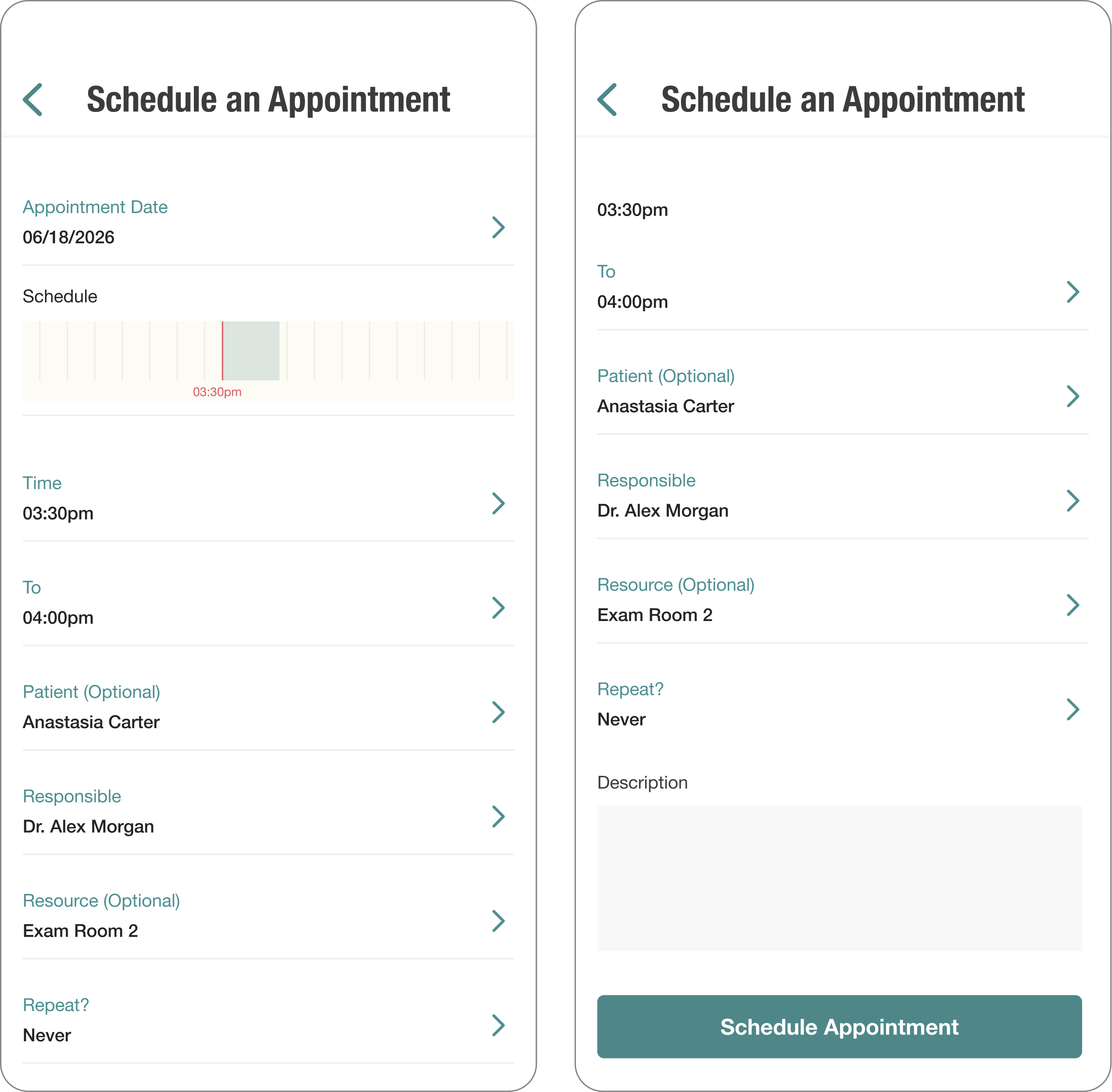
- Tap Appointment Date and pick the day.
- Set Time and To for the start and end of the visit.
- Optionally assign a Patient, set the Responsible staff member (defaults to Me), and add a Resource, Repeat behavior, or Description.
- Tap Schedule Appointment, then review the Confirm your Appointment screen.
- Tap Confirm Appointment.
You’ll see a success screen with the scheduled date and time. Tap View All Appointments to head back to your schedule.
To manage or review what’s already on your calendar, see Managing Appointments With Atlas.md Mobile.
