How to Set Atlas Balance as Your Payout Destination
Atlas Balance can be set as your payout destination, so funds from Atlas.md payments are deposited directly into your Atlas Balance financial account. Once funds arrive, you can send them to other accounts or use them for clinic expenses.
To route your Atlas.md payouts into your Atlas Balance financial account:
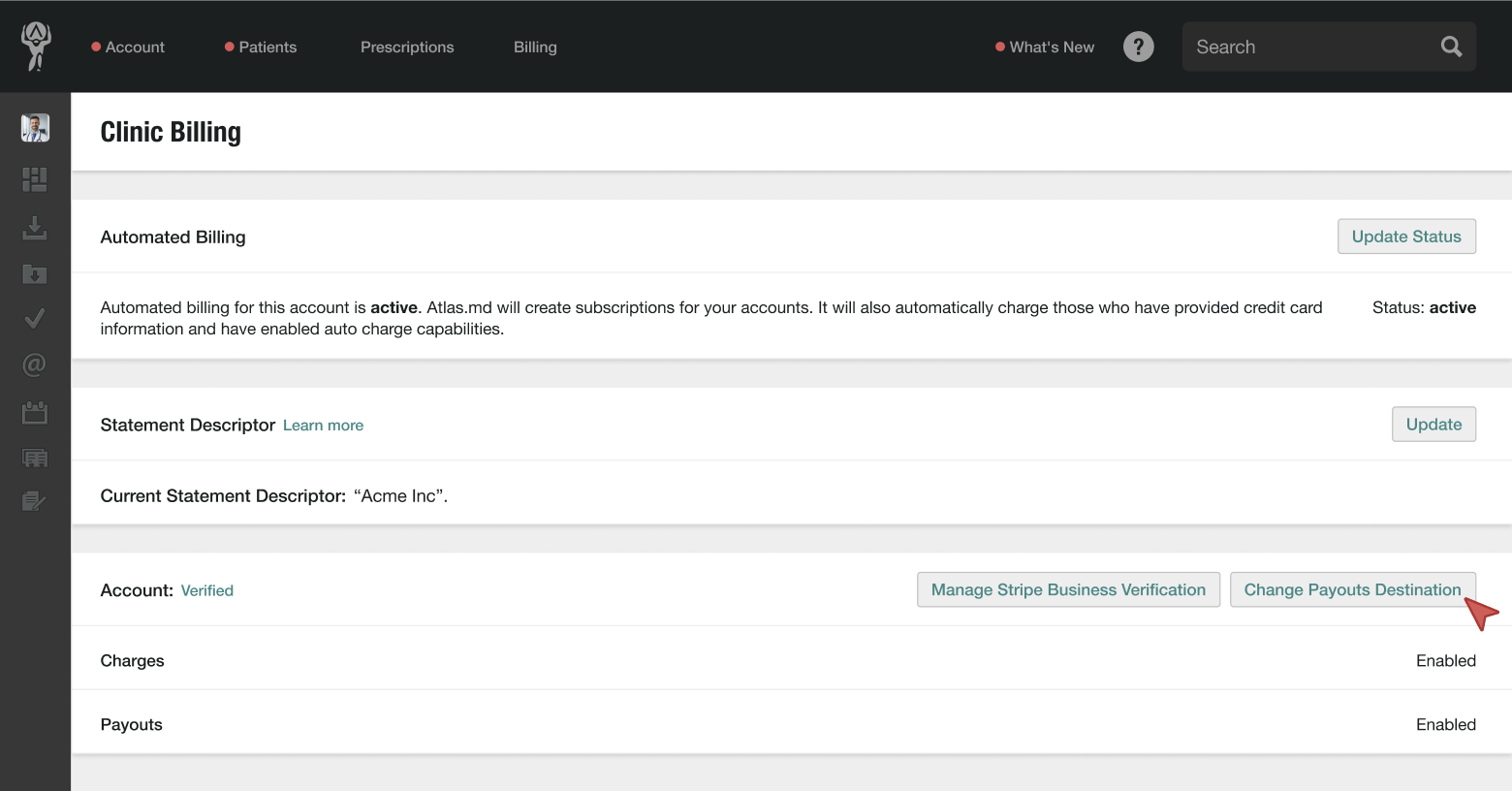
- Click on Account, then Clinic Billing
- Halfway down the page, click Change Payouts Destination
- In the dropdown menu, select Atlas Balance Financial Account
- Finally, click Update Bank Account
Once this setting is enabled, future payouts from Atlas.md will be routed to your Atlas Balance financial account.
Atlas.md is not a bank. Atlas.md partners with Stripe Payments Company for money transmission services and account services with funds held at Fifth Third Bank N.A., Member FDIC. Atlas Balance Visa® Commercial cards are powered by Stripe and issued by Celtic Bank.
Stripe Treasury Accounts are eligible for FDIC pass-through deposit insurance if they meet certain requirements. The accounts are eligible only to the extent pass-through insurance is permitted by the rules and regulations of the FDIC, and if the requirements for pass-through insurance are satisfied. The FDIC insurance applies up to 250,000 USD per depositor, per financial institution, for deposits held in the same ownership capacity. Neither Stripe nor Atlas.md is an FDIC-insured institution. The FDIC’s deposit insurance coverage only protects against the failure of an FDIC-insured depository institution.